

The best marketplace images are built for each channel from one clean master file. They follow that marketplace’s own content rules, and they are paired with a title written in the language of the shopper. Doing that for one marketplace is a task. Doing it for Amazon, Bol, Zalando, About You and Modivo at once, in several languages, is a managed process, and that is the work we do at DEVOE for brands expanding out of small markets like Slovenia.
This guide covers what a brand needs: how to prepare the files, how to name and describe them, how to write titles that sit well beside the images, and how to measure what works.
TL;DR
- The hero (main) image decides whether shoppers find and click your product, so it gets the most effort, and it must read clearly on a phone.
- Keep one uncropped master per product and export channel-specific files from it, because each marketplace sets its own rules.
- Plan a gallery of several images that answers shopper questions: scale, material, use, contents and variants.
- Write titles to the marketplace’s content rules and in the shopper’s language, not as a literal translation of your own webshop title.
- Test one change at a time and give it weeks, not days, before you judge it.
Table of Contents
- Why images carry the listing
- Start with a master file, not a marketplace file
- What to photograph: the gallery plan
- Technical settings that matter
- Filenames and alt text
- Titles: the other half of the listing
- Localizing for the shopper, not just the language
- Measuring what works
- Common mistakes we see in expansion listings
- Perspective
- How DEVOE handles it
- FAQ
- Sources
Why images carry the listing
On a marketplace the shopper cannot touch the product. Photos do the job of the shop shelf, and the first one does most of it. NIQ describes the hero image as the most essential element of the digital shelf, because it is what lets consumers find products in the first place. The same analysis points to mobile-first imagery as a priority as desktop use declines, and says the brand name should appear larger online than on physical packaging so it stays readable on a small screen.
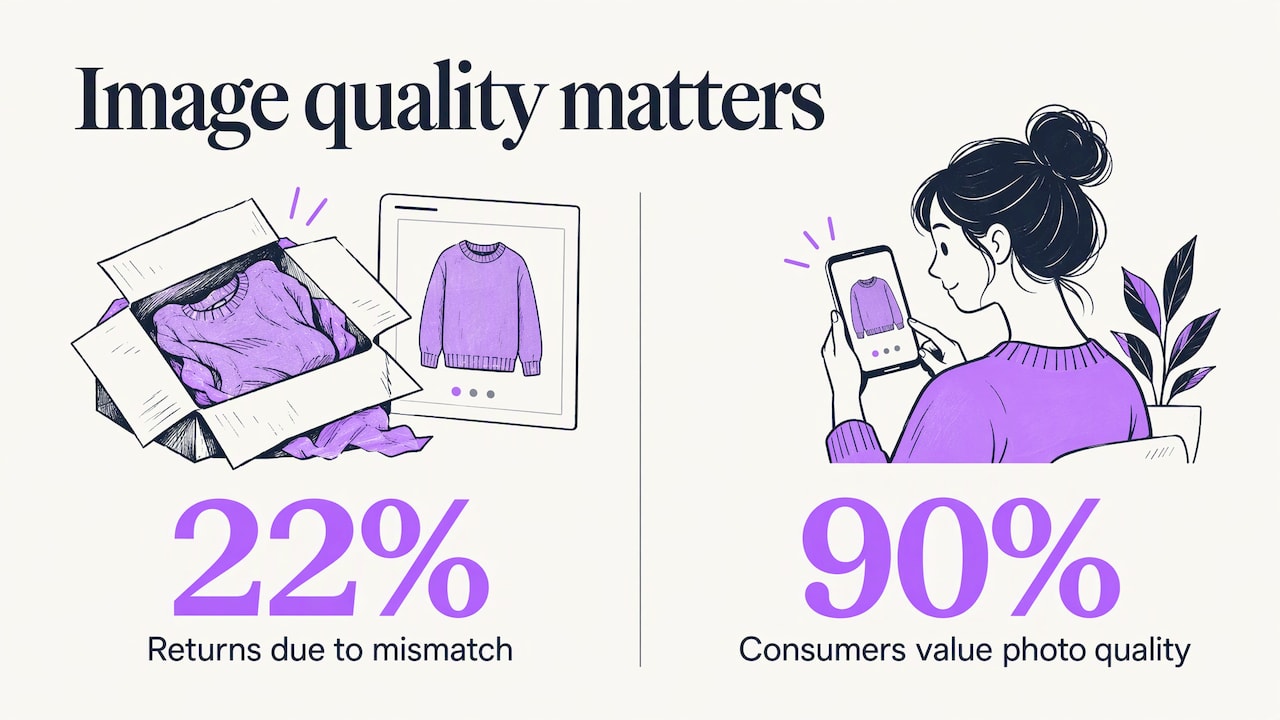
Image quality also touches returns. Canon Slovenija, in an article on ecommerce photography, reports that 22% of online returns come from products not matching the depicted images, and that 90% of consumers rate photo quality as extremely important when buying. For a brand entering a new country, where a return can mean cross-border shipping, an image that sets the right expectation is worth more than a pretty one.
The practical conclusion: treat each image as a piece of product information, not decoration. Every picture in the gallery should answer a question a buyer would otherwise ask.
Start with a master file, not a marketplace file
The most common mistake in expansion is to take the files from your own webshop, already cropped and compressed, and upload them everywhere. Marketplaces resize and recompress what you send, and they differ in what they accept. Each time you re-edit an already compressed file, quality drops.
A cleaner routine:
- Shoot or commission large originals. Capture at a resolution well above what any marketplace needs, so you can crop for different ratios without enlarging.
- Keep the uncropped original untouched. This is your master. Store it with the product’s EAN or SKU in the folder name.
- Retouch once, on a copy. Fix colour, dust and shadows. Colour accuracy matters most: a shade that looks different on screen than in the hand is a classic cause of returns, especially in fashion and cosmetics.
- Export per channel. Each marketplace gets files cut to its ratio, size and format from the retouched master, never from another export.
This keeps one source of truth. When a packaging design changes, you replace one master and regenerate the rest, rather than hunting through dozens of uploaded variants.
What to photograph: the gallery plan
A gallery that works plans its images before the shoot. A sensible set for most physical products is four to eight images:
| Image | Job it does | Typical mistake |
|---|---|---|
| Hero, product alone | Gets the click in search results | Cluttered background, tiny product in a large frame |
| In-use or lifestyle | Shows context and scale | Staged scene that hides the product itself |
| Detail or material | Answers quality questions | Soft focus, flat lighting |
| Size reference | Prevents wrong-size orders | Dimensions only in text, nothing visual |
| Package contents | Sets expectation of what arrives | Showing accessories that are not included |
| Colour or variant shots | Matches the variant to the picture | One image reused for every variant |
For planning a gallery around the questions buyers ask, gallery images that answer product questions is a good example from a category where shade and fit matter a lot. For the hero, the principle of a clean background and honest presentation is also visible in a guide to choosing a clear product photo, where buyer confidence depends on seeing the real item.
A useful test before any shoot: list the five questions your customer service team gets most often. If the gallery does not answer them, add an image.
Technical settings that matter
File weight, format and dimensions affect how fast a page loads, and marketplaces also have their own technical limits. Rather than quoting one number for every channel, work with this approach:
- Format. Marketplaces generally accept JPEG and PNG. Modern formats such as WebP are common on your own webshop for speed, but on a marketplace always follow the format list in that marketplace’s current content guidelines.
- Dimensions. Export large enough that the zoom function works on a big screen, and in the ratio the channel favours. A square is the safest default for a hero, while fashion channels often favour portrait ratios, so check the requirement per channel before you export.
- File weight. Compress until you see the first visible loss, then step back. Very heavy files slow listings on mobile networks; over-compressed ones show banding in gradients and halos around text.
- Resolution consistency. A gallery where one image is sharp and another is soft looks careless. Export the whole set to the same standard.
- Safe zones. Leave margin around the product so cropping by thumbnails does not cut it off.
Always confirm the numbers in the marketplace’s own seller documentation, since limits change. When we onboard a brand, the content requirements of each channel are part of what we check before anything goes live.
Filenames and alt text
Filenames and alt text help your own webshop’s search visibility and accessibility. On marketplaces, the visible effect is smaller, because the title and attributes carry most of the search weight. Still, tidy file handling pays off in operations.
Filenames. Use lowercase, hyphen-separated, descriptive names that include brand, product and angle: brand-trail-jacket-green-front.jpg. Avoid spaces, diacritics and strings like IMG_4471. Slovenian characters such as č, š and ž should be removed from filenames, since not every system handles them well.
Alt text. Write one plain sentence per image that describes what is visible, for someone who cannot see it: “Green waterproof jacket, front view, hood up.” Do not stuff keywords. Where a channel asks for alt text or image descriptions, fill every field, since a missing one can block a listing or reduce accessibility.
Titles: the other half of the listing
Shoppers see the image and the title together in search results. An excellent hero attached to a muddled title still loses clicks.
Each marketplace sets its own title rules. Bol, for example, tells sellers in its partner documentation to build titles from the brand, product group and relevant characteristics or search terms, and specifies a length range of 30 to 150 characters, Dutch words only, no caps lock and a single permitted hyphen style. Those rules are specific to that platform. A title that passes on one marketplace can be rejected or suppressed on another.
A workable structure to adapt per channel:
- Brand first, unless the channel’s rules say otherwise.
- Product type in the shopper’s word. Use the term local shoppers actually type. A Dutch shopper and a German shopper may name the same item differently, so translating literally from Slovenian or English is not enough.
- The one or two attributes that decide the purchase: size, colour, material, capacity, compatibility.
- No promotional filler. Words like “best” or “sale” are often disallowed and rarely help.
The title and the hero should agree. If the title says “black” and the hero shows the navy version, you have created a return.
Localizing for the shopper, not just the language
Localizing images and titles means adapting what they say to the country. Practical points for brands leaving Slovenia:
- Language in the image. Any text on the image, packaging included, should be understandable to the target shopper, and marketplaces often restrict overlay text on hero images anyway.
- Units and sizes. Size charts should match local conventions, and clothing size systems differ between countries.
- Terms and spelling. Use the marketplace’s own category vocabulary, since it drives how filters and search match your product.
- Context. A lifestyle shot with a setting that feels foreign to the target country can weaken trust, so choose scenes that fit the market.
Because each channel and each country has its own audience, this is the stage where a brand most often underestimates the workload. At DEVOE, content creation and translation are part of the service, alongside onboarding with data mapping and error resolution.
Measuring what works
Guessing which image performs better is slow and unreliable. Where a marketplace offers a testing tool, use it. Amazon’s Manage Your Experiments lets eligible sellers test images, titles, bullet points, descriptions and A+ Content by randomly splitting customers into groups. It reports units sold, sales, conversion rate and sample size, and Amazon recommends running experiments for 8 to 10 weeks or until the result is significant.
Rules for testing on any channel:
- Change one thing at a time. New hero and new title together tell you nothing about which one worked.
- Wait for enough traffic. A week of data on a slow product is noise.
- Compare like with like. Do not judge a test across a promotion or a season change.
- Record the result. The winning version becomes the new standard for similar products.
On channels without a built-in testing tool, change the content on a fixed schedule and compare periods of similar length, noting any ad or price changes.
Common mistakes we see in expansion listings
- The same image set pasted across all marketplaces regardless of ratio or rules.
- A hero image with the product too small to read on a phone.
- Colour variants represented by one photo.
- Titles translated word for word, so they miss how locals search.
- Image files with inconsistent lighting across a range, which makes a brand look like several brands.
- No plan for updating images when packaging changes.
Every one of these is fixable, and most are cheaper to avoid than to correct after launch.
Perspective
Brands from smaller markets often assume the hard part of marketplace expansion is getting accepted. In our experience of the process, the harder part is making every listing look as if it was made for the local shopper, on every channel, at the same time.
That is why we treat images and titles as part of one integrated job. Matching a brand to the right marketplaces, onboarding the catalogue, creating and translating content, visual branding of the store, advertising and reporting all feed each other. A great hero image does little if the product data is mapped incorrectly, and a perfect title does not help if the gallery leaves obvious questions open.
Our approach is hands-on and tailored to each marketplace’s requirements and each audience. We also coordinate directly with marketplace decision-makers, so the content we prepare is built around what each channel expects. For a brand with a small team, handing this over means the images and titles are done once, properly, and then improved with data.
tinkara
How DEVOE handles it
If you plan to sell on several European marketplaces and want the images, titles and product data handled as one process, we manage the whole path: strategic matchmaking to the right marketplaces, onboarding with data mapping and error resolution, content creation and translation, store visual branding, logistics setup, targeted advertising, ongoing optimization and performance reporting.

You can start from the channel that matters most to you: Amazon, Bol, Zalando, About You, Modivo, eBay or Douglas. The overview of the whole service is on the DEVOE Managed page.
FAQ
How many images should a marketplace listing have?
Plan for four to eight images for most products: a clean hero, an in-use shot, a detail, a size reference, the package contents and each colour variant. Each image should answer a different buyer question. Check each marketplace’s guidelines for the minimum and maximum.
Should I use the same images on every marketplace?
Use the same master, but not the same exported files. Marketplaces differ in ratios, background rules and technical limits, and they recompress uploads. Exporting per channel from the original master keeps quality high and avoids rejections.
Do product titles need to be translated?
They need to be written for the target market, not translated word for word. Use the words local shoppers type and follow the marketplace’s rules on length, language and punctuation. Bol, for instance, requires Dutch words only in titles.
How long should I test a new hero image?
Long enough to reach a meaningful sample. Amazon recommends 8 to 10 weeks or until the result is significant for its own experiments. Change one element at a time so you know what caused the difference.
Sources
- The digital shelf and hero images, NIQ
- Boosting e-commerce with high-quality images, Canon Slovenija
- Content requirements, bol Partner Platform
- Test listing content with Manage Your Experiments, Amazon
- Photo guide for choosing a clear product photo
- Gallery images that answer product questions
1 Comment